
Multiple Coordinated Views at Large Displays for Multiple Users: Empirical Findings on User Behavior, Movements, and Distances
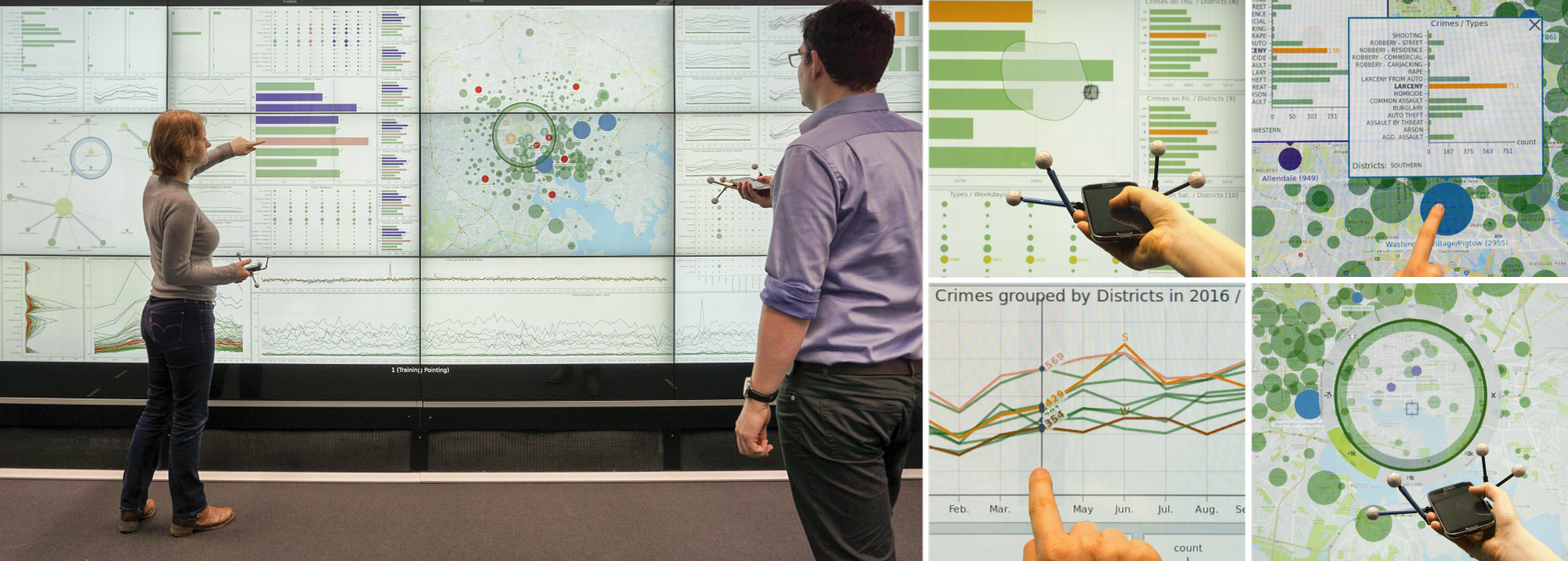
Overview
This project explores how interactive wall-sized displays can enhance collaborative data analysis through Multiple Coordinated Views (MCV). By combining direct touch interaction with distant interaction via mobile devices, the study investigates how users explore large datasets, collaborate, and adapt their movements and interaction styles. The work bridges the gap between large-scale visualization systems and real-world user behavior, offering design principles and empirical findings for future systems.MCV Application
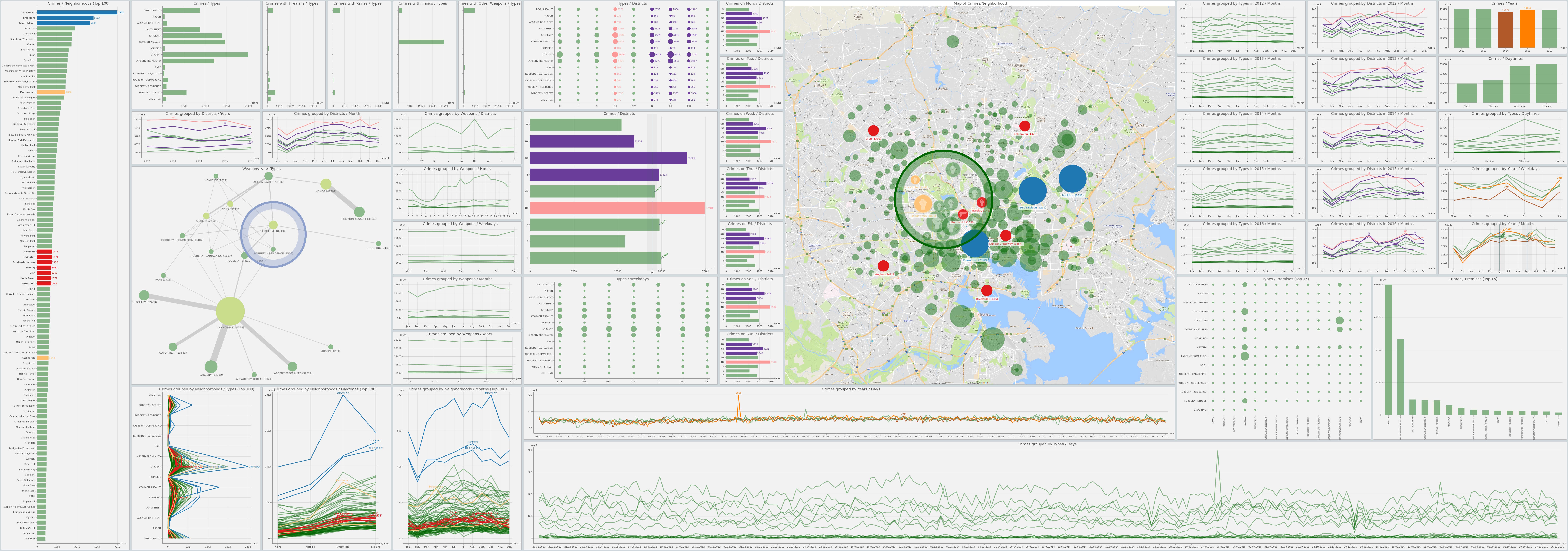
The MCV prototype is an interactive wall-sized display application featuring over 45 coordinated views (e.g., bar charts, maps, node-link diagrams) visualizing real-world crime data. It supports direct touch and distant interaction via mobile devices, enabling seamless exploration of multivariate datasets. The design emphasizes visual consistency, flexible movement, and collaborative workflows through features like linked brushing, shared selections, and tools such as magic lenses and rulers. The prototype was built using python (openly available on GitHub) and utilized the open-source Baltimore crime dataset.
Interaction Mapping for MCV at Large Displays
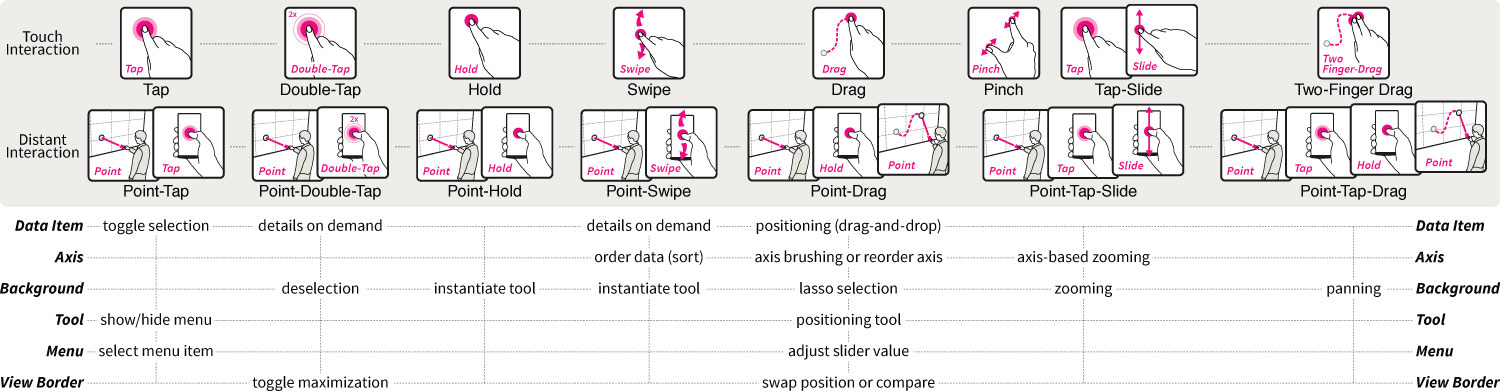
Our interaction mapping for Multiple Coordinated Views (MCV) at large displays is designed to address the unique challenges of large-scale, multi-user data exploration. It combines direct touch interaction (on the wall-sized display) and distant interaction (via mobile devices) to enable seamless, flexible, and collaborative workflows. Below is a detailed breakdown of the interaction mapping and its design principles:
Distant Interaction Vocabulary
To be able to interact with the large display from a distance, we define a set of interaction techniques that can be performed on the spatial aware mobile devices. More specifically, we aimed to have a 1:1 mapping of near and distant interaction techniques.
- Point-Tap & Point-Double-Tap
- Point-Hold
- Point-Swipe
- Point-Drag
- Point-Tap-Slide
- Point-Tap-Drag
Interaction with Visual Elements of Views
Interactions also need a (visual) target they can be be performed on. We define a set of visual elements that can be interacted with, which are common in MCV systems.
- Data Item
- Axis
- Background
- View Border
- Tool
- Menu
Analysis Tool
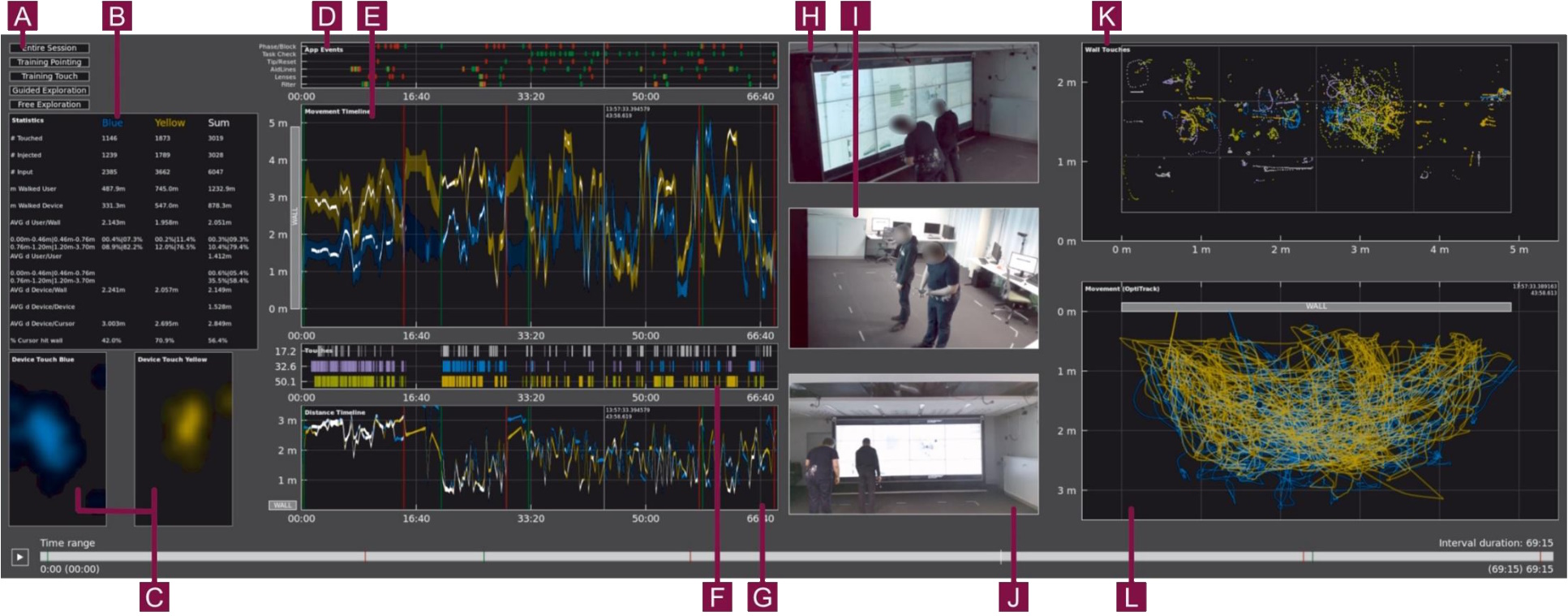
In addition to the MCV prototype, we also extended an already existing open-source group analysis toolkit called GIAnT. We added various additional views allowing us to visualize correlation within the data and identify especially relevant or interesting time spans. In particular, the extended GIAnT (also openly available on GitHub) allowed us to see top views of left-right and distance movements as well as user-specific movement paths, a timeline of logged application events, TOUCH and DISTANT interactions per user on timeline and in display coordinates, heat maps of touches on the mobile device per user, and general statistic values per selected time span.
Outcomes
With the analysis of the collected data, we were able to derive several outcomes that can be used to inform the design of MCV systems for large displays:
- Hybrid Interaction: Combining touch and mobile interaction supports both precision and flexibility, especially for large displays where reachability is a challenge.
- Adaptive Design: Systems should allow users to switch modalities based on task needs (e.g., using touch for detail work and mobile for overview navigation).
- Collaboration Tools: Features like shared selections and linked brushing are critical for multi-user workflows.